

A Weekend-Long Pet Project:
Claude MCP 101
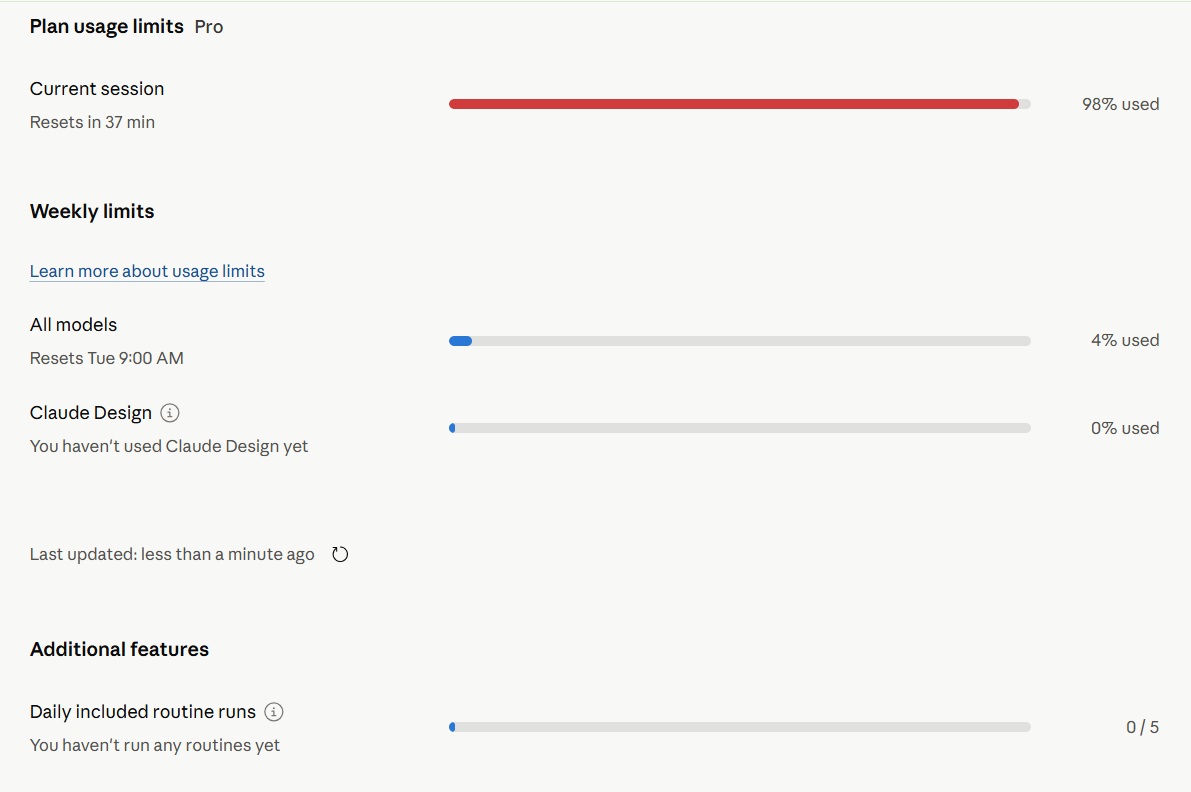
Claude's built-in interface shows percentages. This dashboard gives you a persistent local view: session window, weekly plan, API credits, and live fetch, all in a single HTML file.
Live fetch can work quickly once Claude Desktop, Claude in Chrome, and MCP Filesystem are connected. Requires a paid Claude plan.
The Claude product universe.
From Anthropic's AI models down to the tools you use daily, including the MCP Protocol layer at the base, which is an open standard not exclusive to Claude.
← scroll to explore →
1At the top of everything sits Anthropic
Anthropic is the company that builds and trains the Claude AI models. When you hear names like Haiku, Sonnet, and Opus, those are the actual models behind every Claude experience. They come in different sizes and price points: Haiku is fast and cheap for simple tasks, Sonnet covers most everyday use, and Opus is the most capable for complex reasoning. Everything else in this diagram is a way of accessing one of these models.
2The Claude API, the developer gateway
The Claude API lives at platform.claude.com and is the developer gateway for programmatic access to Claude models. If you are building an app, a workflow, or a custom integration, this is where you authenticate and send requests. The API runs on a pay-as-you-go credit system that is separate from the regular Claude chat subscription. Most regular users never interact with it directly, but understanding it helps explain how Claude can be extended beyond the chat window.
3Three very different interfaces, same AI underneath
From the API, three distinct products branch out. Claude.ai is the browser and mobile chat interface, the one most people start with. It requires no setup and works like any web app. Claude Desktop is the downloadable application for Windows and Mac, and it is the interface used in this project because it supports MCP, an open protocol that lets AI models interact with local files, browsers, and external services. Claude Code is a command-line tool built for developers who want Claude to write, test, and reason about code directly in their environment. Same AI underneath all three, very different experiences on top.
4Extensions and tools that plug into each interface
Each of those three interfaces has its own set of tools that extend it further. From claude.ai, you can reach the Claude for Excel and Claude for PowerPoint add-ins, which bring AI directly into Microsoft Office documents. From Claude Desktop, you get Cowork (a tool for automating file and task workflows) and Claude for Chrome, the browser extension that lets Claude navigate web pages on your behalf. From Claude Code, there are extensions for VS Code and JetBrains that embed Claude right inside your code editor. These tools are not standalone products; they work because of the interface they are attached to.
5The MCP Protocol layer — what makes automation possible
Running along the bottom of the diagram is the MCP Protocol layer. MCP stands for Model Context Protocol. It is an open standard, created by Anthropic but open to any AI model or platform, that allows AI systems to connect to external tools: local file systems, browsers, third-party APIs, databases, and more. Several frontier models and platforms are adopting it. In this project, Claude Desktop uses MCP to read a web page via the Chrome extension and write to a local file via the filesystem server. Those are two separate MCP capabilities working together. The live data fetch that powers this dashboard is a straightforward example of both in action.
Four numbers worth watching.
Usage data Claude normally buries in percentages. This makes it readable, persistent, and actionable.
Session Window
Claude resets conversation capacity on a rolling window. This is a proprietary unit; Anthropic doesn't publish the exact token equivalence. Knowing your current level helps you pace work and avoid mid-session surprises.
- Above 30% remaining — room to work
- 10–30% remaining — wrap up heavy tasks
- Below 10% — a reset is coming
Weekly Plan
Covers all conversations across the whole week. If you use Claude regularly for work, this is the number that catches people off guard on Thursday.
API Budget
Separate from your chat plan. Shows your prepaid developer balance in real dollars, relevant if you build automations via n8n, scripts, or custom tools.
Fetch Data
Say something like "fetch my dashboard data" in any Claude conversation. Claude navigates to your usage and billing pages and updates the visible values live. No manual entry. No copy-paste.
- Claude in Chrome extension (free, by Anthropic)
- Works best from a conversation with tool access enabled
- The fetch phrase is flexible, not exact
- A more explicit prompt helps after reconnecting tools
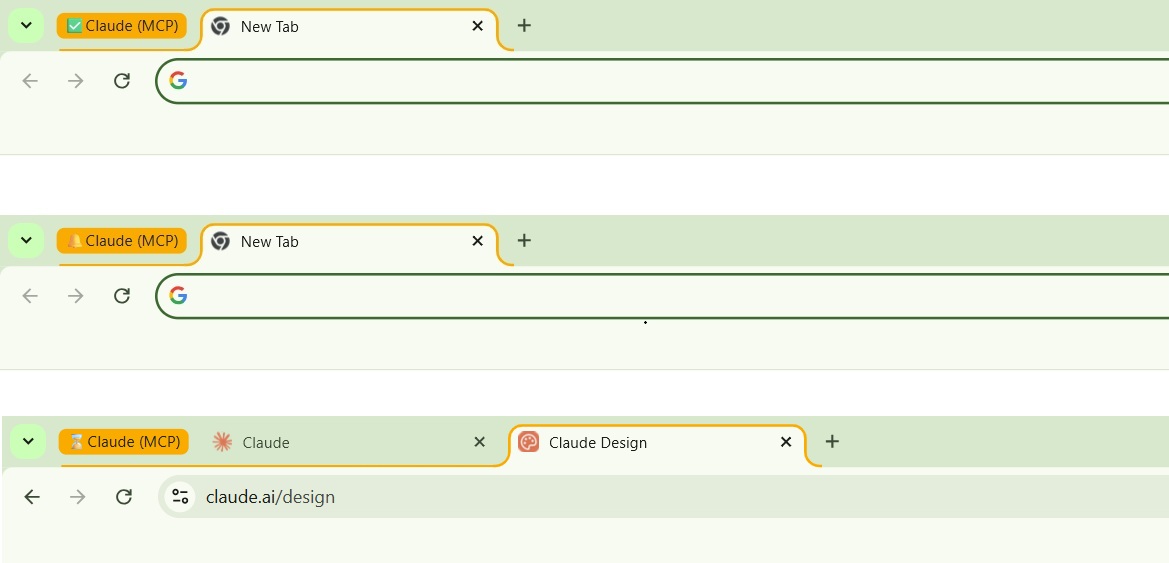
Claude takes over the browser.
You watch it happen.
Two MCP capabilities working together — filesystem access and browser control through the Chrome extension. Here is exactly what you see at each step.

Hurdles I've encountered along the way.
Even after running the cycle a few times, I still occasionally hit situations where Claude does not execute the workflow right away. MCP is powerful, but it depends on several moving parts being aligned at the same time.
When the simple prompt works
A cold conversation can often handle a simple prompt if the setup is already in good shape.
- Claude Desktop is already configured with the Filesystem MCP.
- The MCP folder is accessible.
claude-usage.htmlalready exists in that folder.- Claude in Chrome is installed and connected.
- Browser permissions were previously granted.
- The current conversation has tool access enabled.
What can break the chain
When one component is disconnected, expired, blocked, or simply in an inconsistent state, Claude may only complete part of the chain.
- Claude in Chrome silently disconnected.
- Browser permissions needed reapproval.
- MCP filesystem folder path mismatch.
- Conversation opened without tool access enabled.
- Chrome tabs already open but inaccessible to Claude.
- Claude Desktop needed a full restart after MCP changes.
- HTML file moved or renamed outside the mounted folder.
- Prompt too vague during a fresh conversation.
- Where you got Claude Desktop from. The Microsoft Store (MSIX) and claude.ai distribute two versions with completely different config behaviors — one silently ignores the documented config path. MCP Setup Life-Saver →
What Claude is trying to infer
When everything is connected, Claude can usually infer the whole workflow from a short instruction.
Where each number comes from.
Two sources. One method each. Both read directly from the browser DOM via the Chrome extension.
| Data | Source | Method |
|---|---|---|
| Session %, Weekly %, Routines, Design | claude.ai/settings/usage | Claude in Chrome reads DOM |
| API credit balance | platform.claude.com/settings/billing | Claude in Chrome reads DOM |
MCP 101 in beginner-friendly steps.
A practical setup path for beginners and a quick path for experienced users.
npx.All your Claude usage metrics in one dashboard.
Ready in under 20 minutes.
Open source. No sign-up. Everything runs locally on your machine.
Dashboard v2, with an 80% session alert.
The next version of the dashboard will include a browser popup notification that fires when your current session reaches 80% of its allowance, giving you enough time to wrap up or pace yourself before Claude cuts you off. The rest of the metrics and fetch workflow stay the same.
This dashboard uses a light theme. A dark background version was built during development. If you would like to see it published, vote for it on LinkedIn: posted on May 27 as "Building a Claude usage dashboard in 8 beginner-friendly steps, a weekend-long MCP 101 project." Leave a comment on that post and if there is enough interest, the dark version goes live.